How do I Set Up My Account to Receive Payments for my Products?
Receiving payments (charging for products on your Account; aka: “eCommerce”), where you can charge and receive payments for products (courses, classes, live sessions, etc), is available to some accounts. Please inquire about enabling these features.
We use Stripe to manage our secure payments. If you do not have a Stripe account right now, don’t worry about doing that right now. You can do this directly from your Compendium360 Account.
To set up your Compendium360 Account to receive payments, follow these steps:
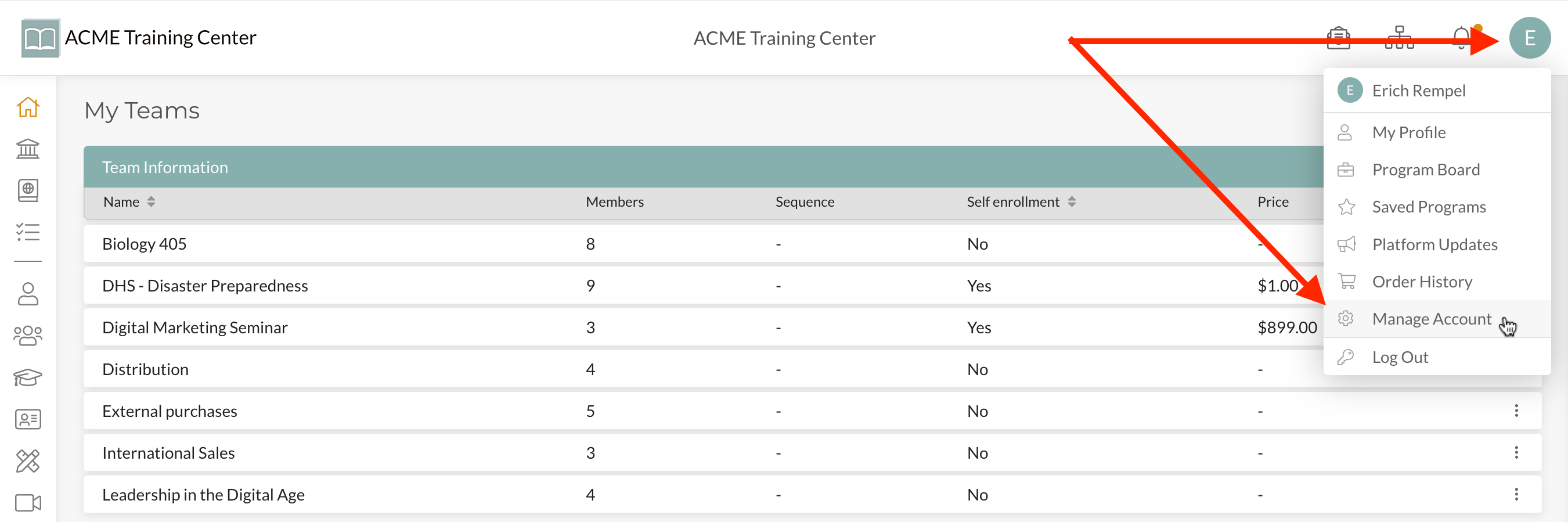
Step 1: Navigate to your “user avatar” at the top-right of your account and click “Manage Account” from the drop-down list.
Step 2: Click on the “eCommerce” tab and then “Custom Payments”.
Under “Custom Payments” you’ll see a button to “Setup Stripe Account”. Click that button and follow instructions to complete your Stripe Account integration.
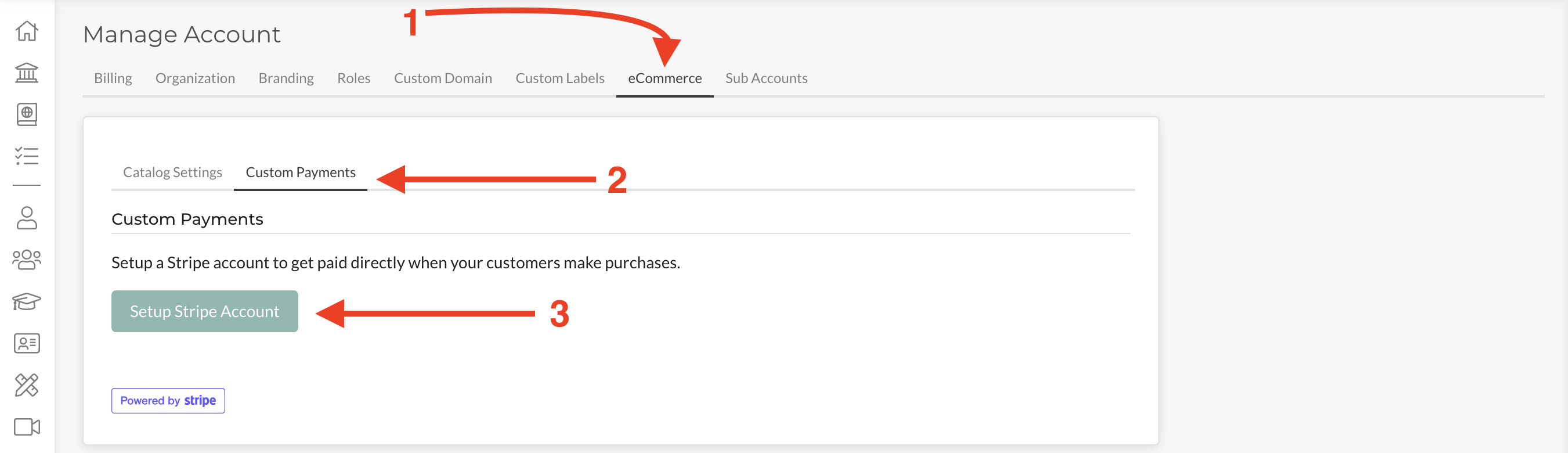
Note: Whether or not you have a Stripe Account already, click “Setup Stripe Account”. If you already have a Stripe Account, you will be asked to log in and connect it. If you do not have a Stripe Account already, or would like to use a new/different account, you will have the opportunity to do so at this time.
Step 3: Confirm your Stripe Account is successfully connected.
Once you have successfully connected your Stripe Account, you will see a ‘success’ notification under your Custom Payments Tab that will look like this:
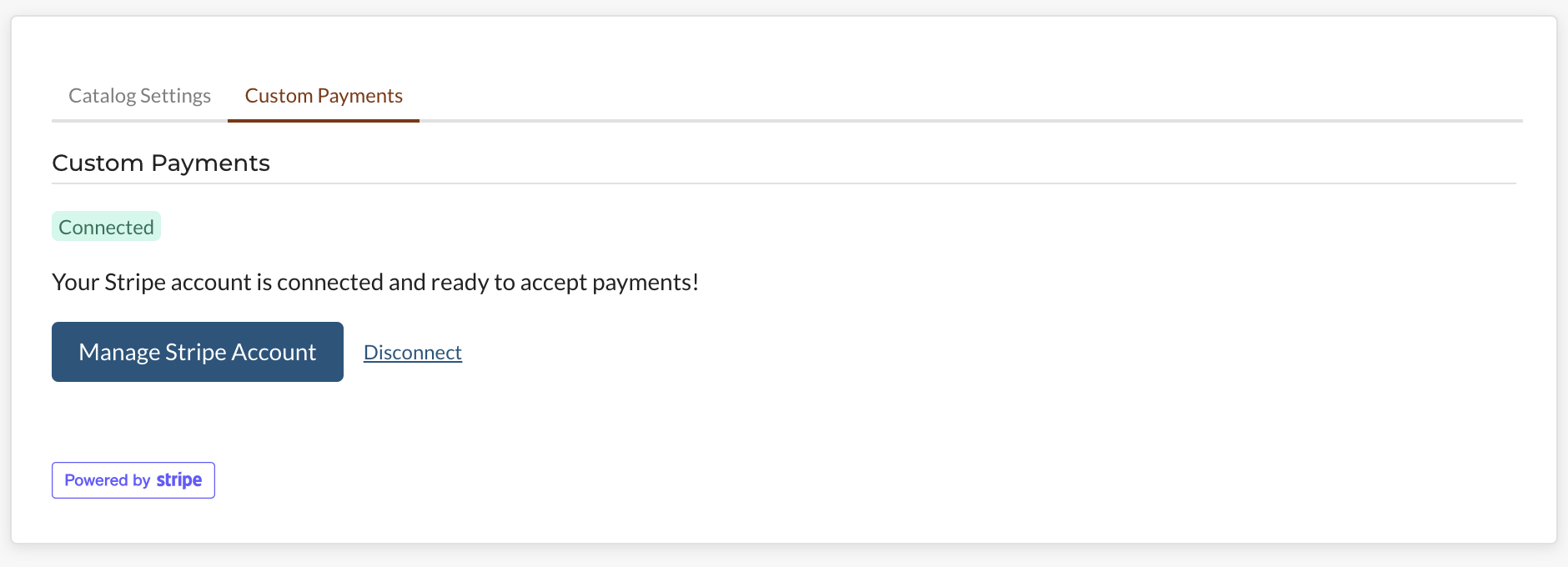
Congatulations! You are now ready to immediately receive payments for enrollments and other products on your Account!