Managing Course Resources
Resources can be any type of digital content that you want to store and share with users on your platform.
To access Resources, navigate to “My Resource Library” from your Dashboard.
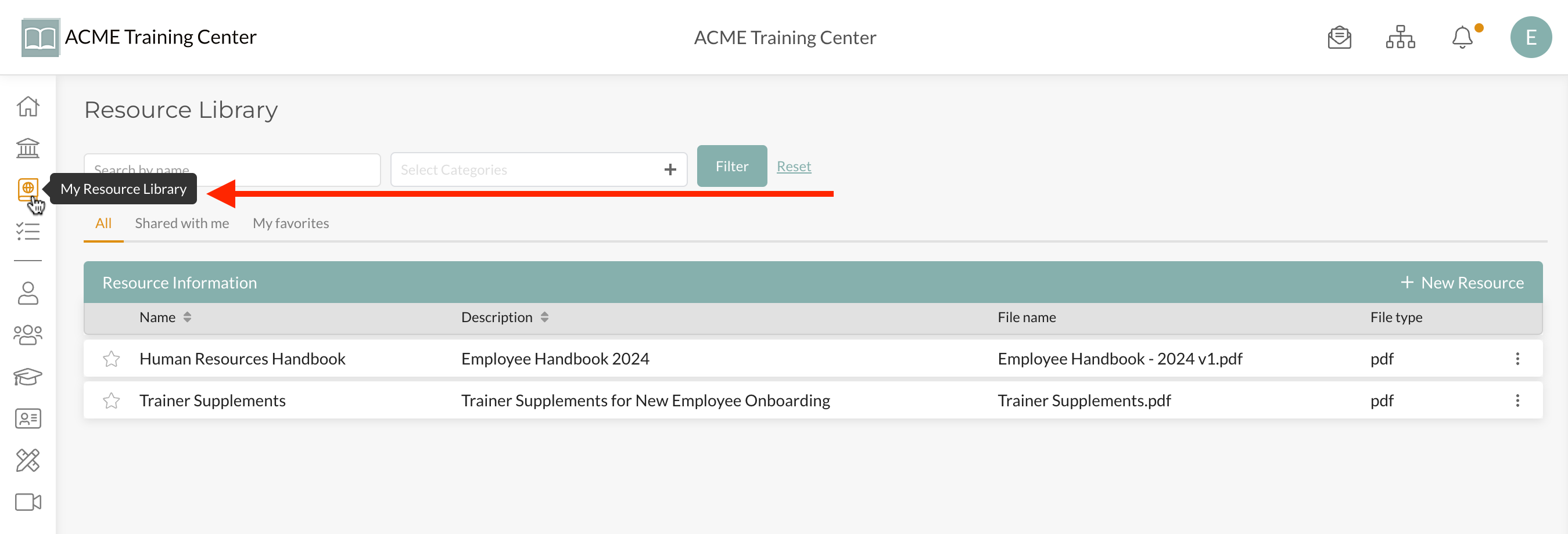
If you have an Employee Handbook, How-To Videos, or PowerPoint Documents, you can upload these to your Resource Library.
You can manage who has access to resources by limiting the resource to specific Teams, Roles, and Sub Accounts.
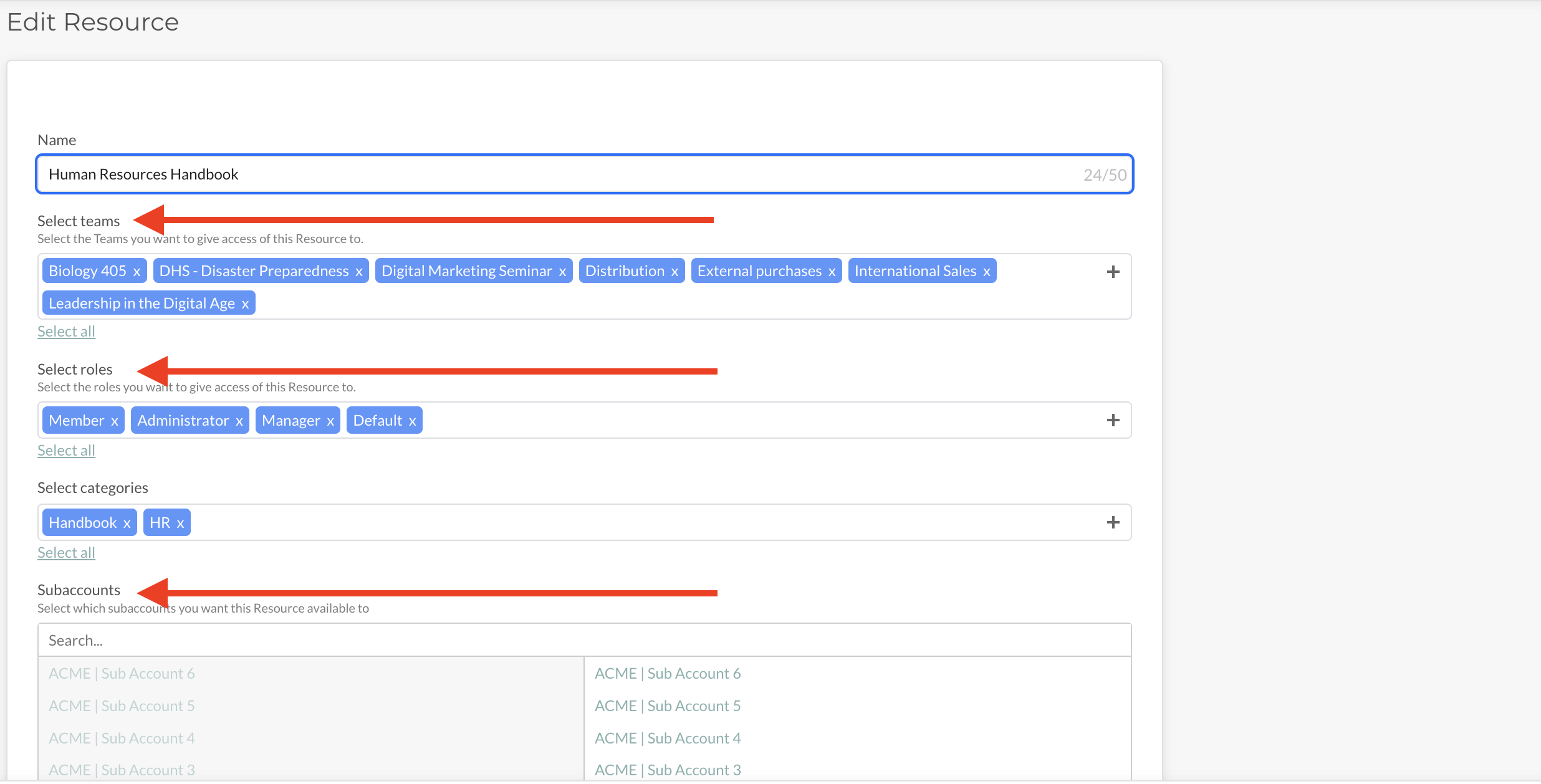
For example, you may have an Employee Handbook that is available to ALL Teams and Roles. However, you may have Manager-Specific documents that you only want your Managers to have access to. You are able to determine the level of access to each resource independently.
Sharing Resources with Sub Accounts
Resources can also be shared with your Sub Accounts. To learn more about this, watch the video below.