Duplicating Courses
Duplicating (copying) courses is a simple 2-Step process
Step 1: Identify the Course to duplicate
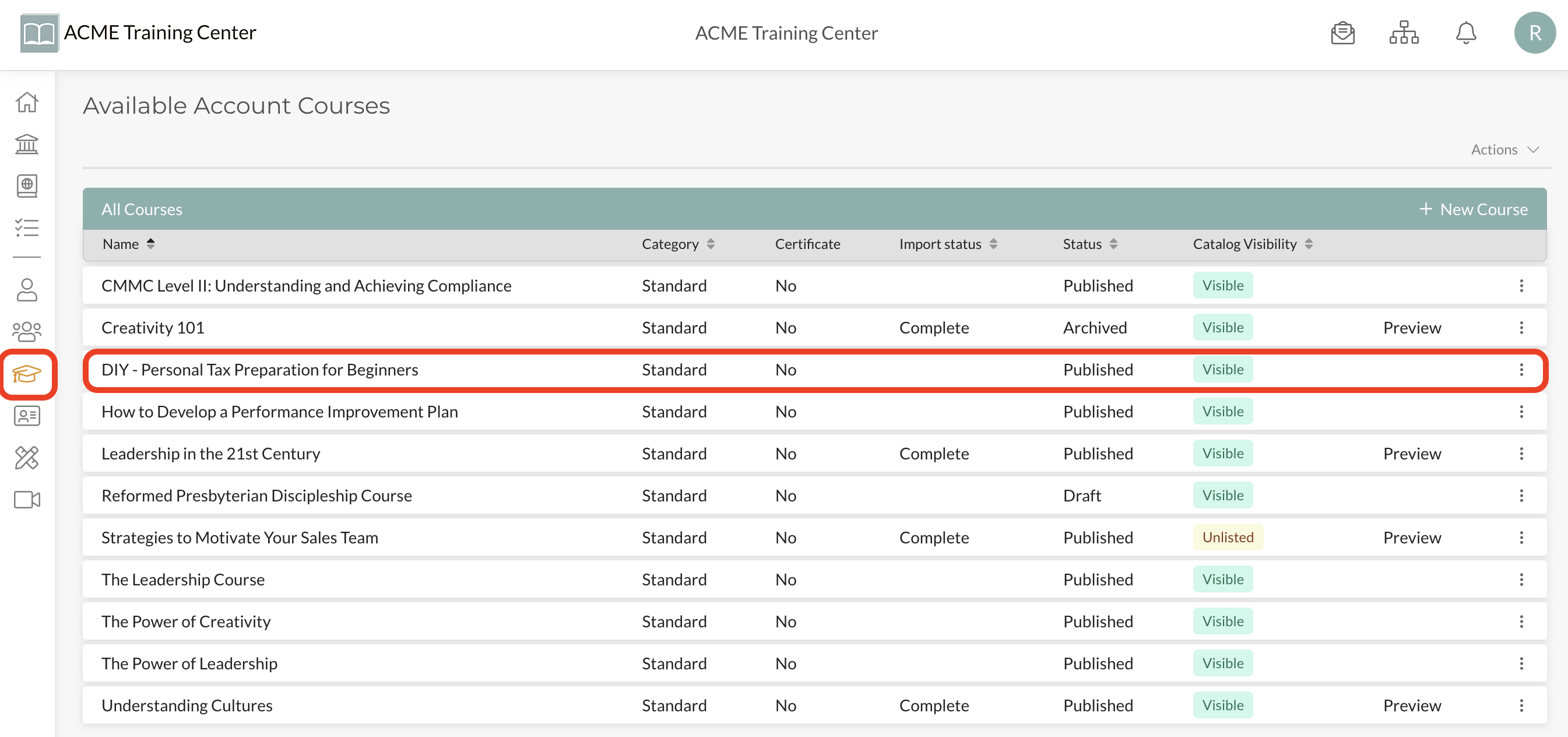
Navigate to your Courses and identify the course you want to duplicate. In this example, we are going to duplicate (make a copy) of the “DIY - Personal Tax Preparation for Beginners” course.
Step 2: Duplicate Course
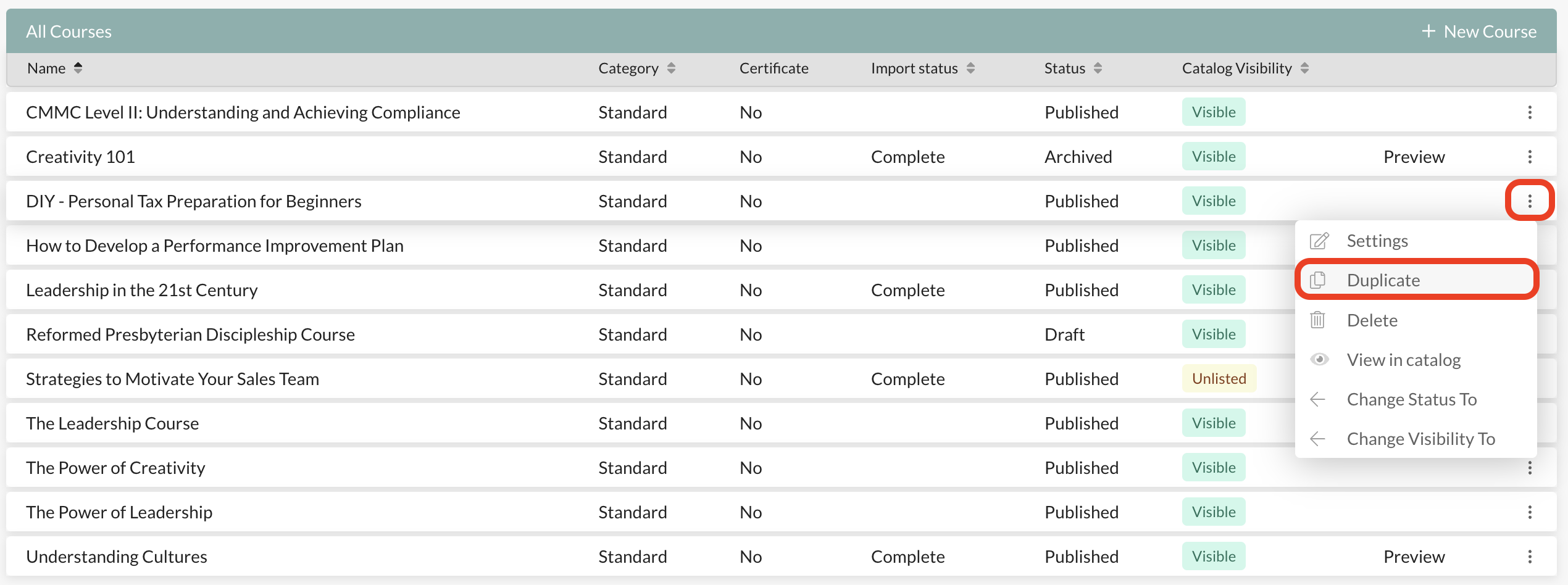
From the ellipsis (3 vertical dots) at the far-right of the course, select “Duplicate” from the drop-down menu options.
Congratulations- You’re Done! You now have an exact clone duplicate/copy of the course. From here, you can edit, modify, and make any changes you want to the course. All course contents and Catalog information has been duplicated. Any changes to the original course will NOT affect the new duplicated course.
Note: By default, your new duplicate course is in ‘draft’ status and not visible to your catalog. Once you are ready to publish it, you’ll need to change the status and catalog visibility, as desired.