Custom Labels Setup
The Compendium360 Platform allows you to enter your own Custom Labels for a variety of fields on your Account. Custom Labels allow you to really tailor the terms, verbiage, and style of your account to the specific vernacular your organization uses.
CLICK HERE to go directly to your Custom Branding page.
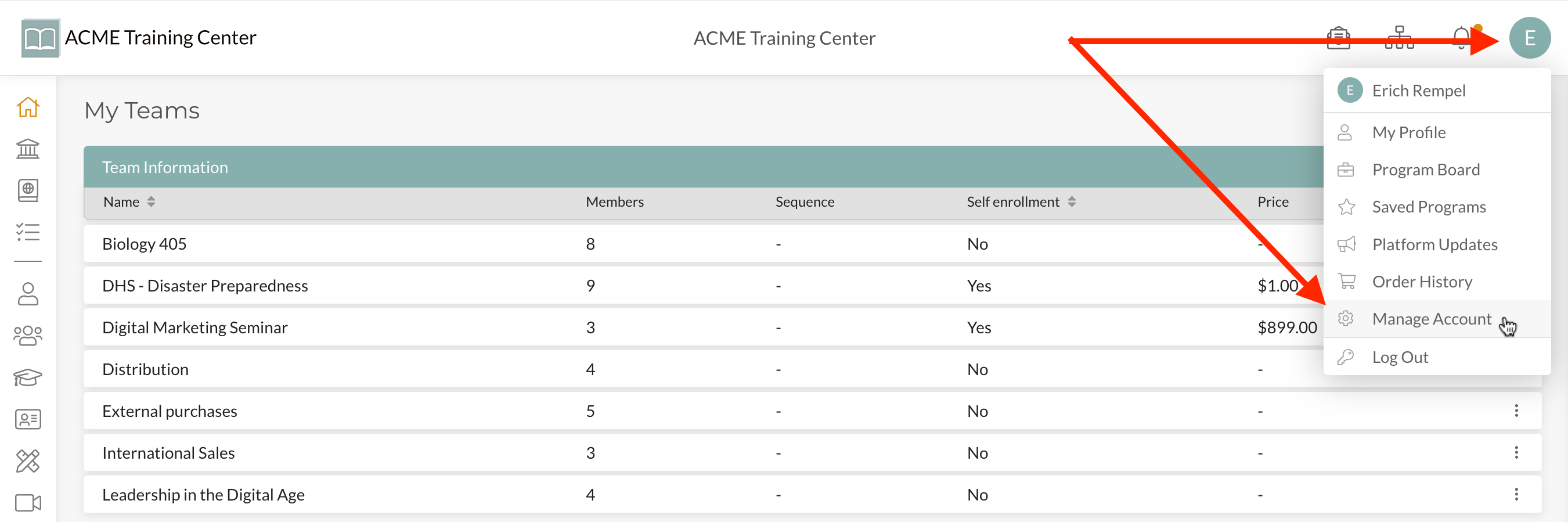
Step 1: Navigate to your “user avatar” at the top-right of your account and click “Manage Account” from the drop-down list.
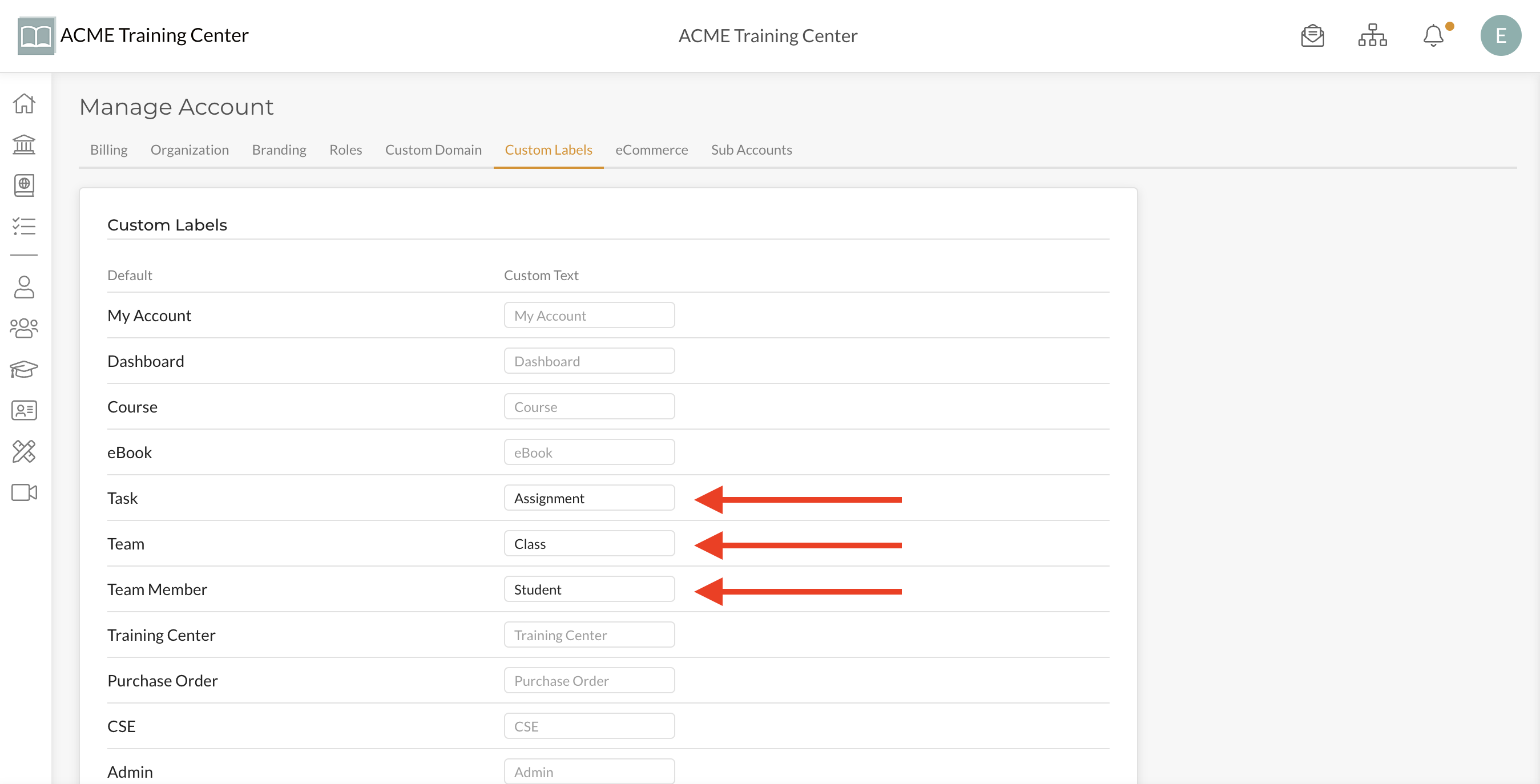
Step 2: Select the Custom Labels tab

Step 3: Enter the Custom Labels you want your platform to have and click “Save” once finished.
Congratulations! You are really providing a high-level touch for your users’ experience by enabling custom labels on your account.