Custom Branding Setup
Custom Branding is a great way to treat your users to an immersive experience. You can set your own logo, primary and secondary colors.
CLICK HERE to go directly to your Custom Branding page.
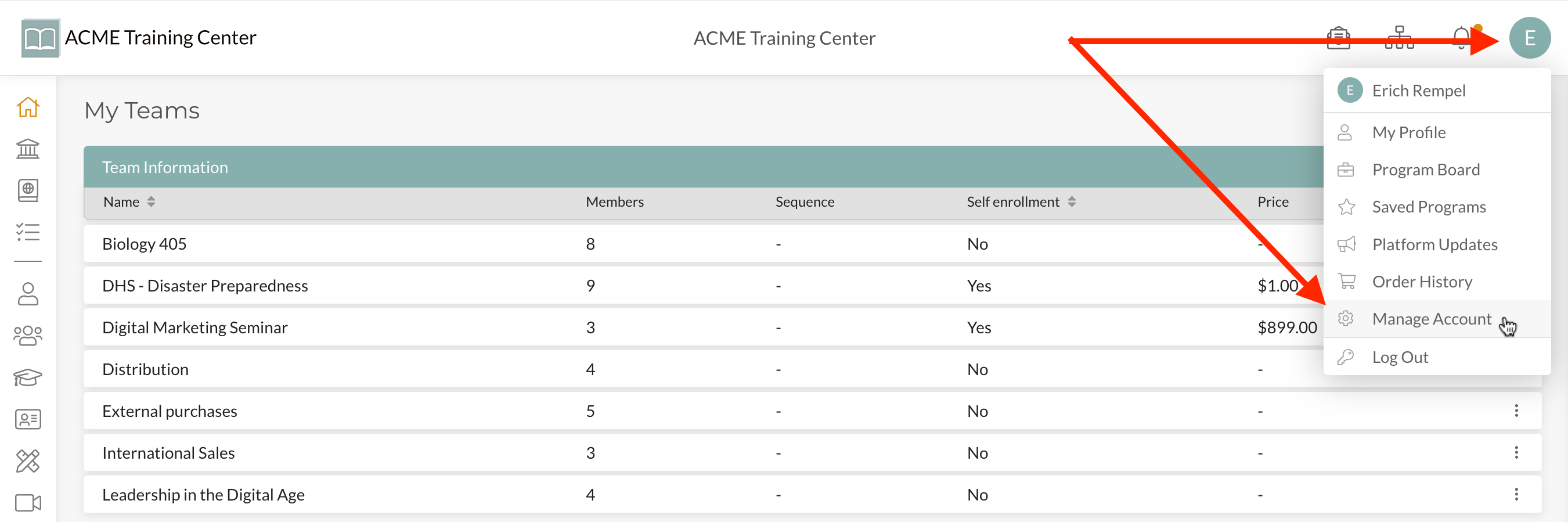
Step 1: Navigate to your “user avatar” at the top-right of your account and click “Manage Account” from the drop-down list.
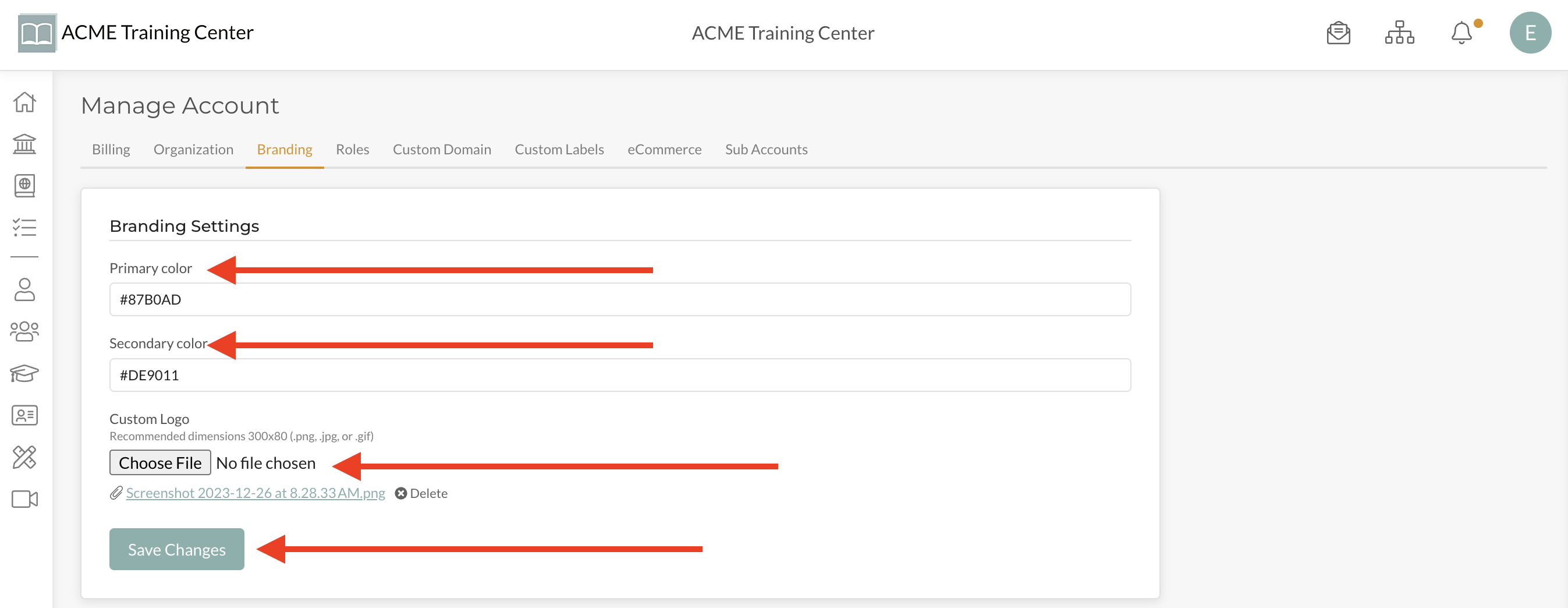
Step 2: Select the “Branding” tab

Step 3: Select your Primary color, Secondary Color, Logo, and then click “Save”
Congratulations! You just set up an immersive environment for your users that really showcases your organization.